Build Your HOA Website Free
Running an HOA is a big job for a volunteer.
Neighborhood.online gives your community a modern website, document storage, and communication tools in minutes.
No technical skills required.
Using Technology to Improve HOA Safety

Updated August 24, 2026
Set Up Your Free HOA Website in Minutes
Give your community a home base online. Share announcements, post documents, and keep homeowners informed with a free Neighborhood.online website built specifically for HOAs.
Create Your Free WebsiteTechnology does not eliminate risk in HOA communities. A cracked sidewalk is still a cracked sidewalk regardless of what software the board uses. But technology meaningfully changes how quickly a board identifies risk, how thoroughly it documents what it finds, how effectively it communicates during an emergency, and how well it protects the community's legal position after an incident. Those four things, speed, documentation, communication, and record keeping, are exactly where most HOA risk management programs have room to improve.
The good news is that the technology available to HOA boards today is practical, affordable, and does not require a dedicated IT person to manage. This guide covers the specific tools that make the most difference for safety and liability, and what boards should look for when evaluating options.
How Technology Fits Into HOA Risk Management
Risk management for an HOA has three phases. The first is prevention: identifying hazards and addressing them before they cause a loss. The second is response: acting quickly and correctly when an incident occurs. The third is documentation: creating a record that protects the HOA's legal and financial position after the fact.
Technology supports all three phases, but it supports the documentation and response phases most directly. Prevention still requires physical inspections, board judgment, and maintenance investment. What technology does is make the documentation of those activities more reliable, more accessible, and more defensible, and make the response to incidents faster and more coordinated.
The liability case for better documentation is straightforward. When a claim is filed against an HOA, the questions that determine the outcome are almost always about what the board knew, when they knew it, and what they did about it. A board with a clear digital record of inspections, hazard reports, maintenance actions, and communications is in a much stronger position than one whose records exist in scattered emails, paper files, and individual board members' memories.
Digital Document Storage
The simplest and most broadly useful technology improvement most HOA boards can make is moving to a central digital document library. For risk management and liability purposes, the specific documents that matter most are insurance certificates, vendor contracts, inspection records, incident reports, and board meeting minutes where safety decisions were documented.
The problem with most HOA document management is not that records do not exist. It is that they are scattered. Insurance certificates sit in one board member's email. Vendor contracts are in a folder on the property manager's computer. Inspection checklists were printed, used, and discarded. Incident reports were written in a text message thread. When a claim is filed and records need to be produced, assembling them is time-consuming, incomplete, and sometimes impossible.
A central digital library solves this. Every board member can access every document from any device. When a new board member joins, they have immediate access to the full record history. When a claim is filed, the relevant documents are in one place. When an insurance agent asks for a vendor certificate from 14 months ago, it takes 30 seconds to find it.
For risk management purposes, a document library should include organized folders for:
- Current insurance policies and certificates
- Vendor certificates of insurance with expiration date tracking
- Service contracts and work orders
- Completed inspection checklists with dates
- Incident and accident reports
- Maintenance and repair records
- Board meeting minutes where safety or maintenance decisions were documented
- Emergency plans including the Disaster Communication Plan
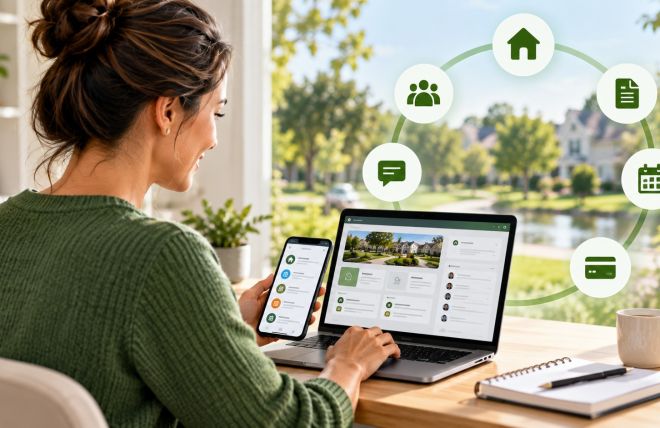
Neighborhood.online provides HOA boards with a built-in document library that all board members can access from any device. Documents can be organized by category, shared with specific members or the full board, and accessed during an emergency from a phone or tablet when a laptop is not available.
Digital Incident and Hazard Logging
One of the most underused risk management tools available to HOA boards is a simple digital log for tracking reported hazards, maintenance requests, and incidents. Most boards handle these through email, phone calls, and informal conversations. The result is a record that is incomplete, hard to search, and impossible to produce as evidence in a dispute.
A digital incident and hazard log creates a timestamped record of every safety concern that was reported, what action was taken, and when. This matters because the legal question in most HOA liability claims is not whether a hazard existed, it is whether the board knew about it and what they did. A log that shows a cracked sidewalk was reported on March 12, a repair was scheduled on March 14, and the work was completed on March 28 tells a very different story than no record at all.
A basic log should capture for each entry:
- Date and time the issue was reported or identified
- Location and description of the hazard or incident
- Who reported it and how
- What action was taken and by whom
- Date the issue was resolved
- Any photos associated with the report
Even a simple shared spreadsheet with consistent column headings is a significant improvement over no log at all. Purpose-built HOA management tools offer more structured options including mobile-friendly forms that board members can complete during a walk-through, automatic timestamping, and photo attachment. See our post on how to document safety issues properly for a full guide to building a documentation system that protects your board.
Mass Communication Tools
The connection between communication technology and liability reduction is less obvious than cameras or document storage but equally important. A board that communicates clearly and promptly during a safety emergency demonstrates competent community management. A board that goes silent, sends inconsistent messages, or relies on one person's personal phone to reach 200 residents is creating problems on top of the original emergency.
Mass communication technology for HOAs covers three channels that work together.
HOA website with posting capability. The community website is the authoritative channel for official communications. Every emergency alert, status update, and post-event notice should be posted there. A website that can be updated quickly from a mobile device by anyone with admin access is far more useful during an emergency than one that requires a laptop and 20 minutes of formatting time. Tools like Neighborhood.online allow board members to post updates from their phone in minutes, which matters when an emergency is unfolding.
Email distribution. Email reaches most residents reliably and allows for the longer, more detailed messages that post-event communications often require. The key capability is a distribution list that is current and can be accessed by more than one board member. A distribution list that only the board president can access is a single point of failure.
SMS or text alerts. SMS has the highest open rate of any communication channel and is the most appropriate tool for urgent Level 2 alerts where immediate resident action is required. If your community uses a mass SMS platform, confirm that both the primary communicator and their backup have access and have tested it before an emergency occurs.
For a complete guide to building a communication plan that uses these tools effectively, download the free Disaster Communication Plan Template. For more on channel strategy and message templates, see our post on emergency communication plans for HOAs.
Security Cameras and Access Control
Security cameras in common areas serve two distinct purposes for HOA risk management. The first is deterrence: well-lit, visibly monitored spaces experience less vandalism, unauthorized access, and the kind of unsupervised activity that leads to injuries. The second is documentation: when an incident does occur in a monitored area, camera footage provides an objective record of what happened.
Camera footage is particularly valuable for liability disputes. A claim that a resident slipped and fell due to a hazard the HOA should have known about looks different when camera footage shows the resident running and not watching where they were going. It also looks different when footage shows the hazard was present for three days before the incident and no one addressed it. Cameras document reality, which is useful when reality is favorable and a reminder to stay on top of maintenance when it is not.
Common areas that benefit most from camera coverage include:
- Entry and exit gates and access points
- Pool areas, particularly gates and pool decks
- Parking areas and garages
- Playground and fitness center areas
- Package delivery areas and mailrooms
- Stairwells and elevators in condominium communities
Electronic access control complements camera systems by creating a digital record of who accessed a controlled area and when. For pool gates, fitness centers, and other amenity areas, access control systems that log entries provide documentation that is useful both for liability purposes and for managing amenity rules.
When evaluating camera and access control systems, boards should confirm that footage is stored for a sufficient period, typically 30 to 90 days at minimum, and that the storage system is backed up so footage is not lost if a device fails. Also confirm that the system and footage storage comply with any applicable state privacy laws.
Smart Lighting
Lighting is one of the highest-return safety investments a community can make. Poor lighting in parking areas, walkways, and common areas is a consistent contributing factor in slip and fall incidents, vehicle accidents, and security events. Adequate lighting deters crime, reduces accidents, and is one of the first things an insurance adjuster looks at when assessing a liability claim that occurred at night.
Smart lighting systems add two capabilities that standard lighting does not provide. First, motion-activated lighting ensures that areas are illuminated when someone is present without requiring full-time operation of all lights, which reduces energy costs while maintaining coverage. Second, monitoring systems that alert the board when a light has failed mean that outages are identified and corrected quickly rather than discovered after an incident.
LED lighting technology has made lighting upgrades significantly more cost-effective than they were a decade ago. The energy savings from converting older lighting systems to LED often offset a significant portion of the capital cost over a reasonable timeframe, making lighting upgrades both a safety investment and a financial one.
Walk your property after dark at least once before summer season. It is the only reliable way to identify dark areas that create risk. Many board members only see the community during daytime and are unaware of lighting gaps that residents navigate every evening.
Digital Inspection Tools
The traditional HOA common area inspection involves a board member walking the property with a printed checklist, making handwritten notes, and either filing the paper somewhere or losing it entirely. Digital inspection tools improve this process at every step.
A digital inspection tool, whether a purpose-built app or a mobile-friendly form, allows the inspector to complete the checklist on their phone, attach photos at each item, have the record automatically timestamped, and submit it directly to the central document library when the walk-through is complete. The result is a complete, dated, photo-documented inspection record that required no additional processing after the walk.
The documentation quality of a digital inspection is also significantly better than a paper one. A handwritten note that says gutters clogged, needs cleaning is less useful than a mobile form entry that says gutters on the north building are approximately 60 percent blocked with leaf debris, photo attached, submitted October 14 at 2:47 PM. Both took about the same time to create. The digital version is far more valuable as a record.
How Neighborhood.online Supports Safety and Risk Management
Neighborhood.online is built around the practical needs of volunteer HOA boards, and several of its core features directly support safety and risk management.
Document library. A central repository for all HOA documents that every board member can access from any device. Insurance policies, vendor certificates, inspection records, incident reports, and emergency plans all live in one place rather than scattered across individual email accounts and personal devices. When a new board member joins, they have immediate access to the community's full record history.
Communication tools. Integrated website posting, email distribution, and announcement features that allow the board to reach all residents quickly from any device. During an emergency, the ability to post a status update to the HOA website from a phone in under two minutes is a meaningful operational advantage.
For HOA communities managing safety and risk on a volunteer board budget, having these capabilities in a single platform rather than across multiple disconnected tools reduces the friction that causes documentation gaps. The easier it is to log an incident or file an inspection record, the more likely board members are to do it consistently.
Action Steps for Your Board
- Audit your current document storage and identify records that exist only in individual email accounts or personal devices
- Move insurance policies, vendor certificates, and inspection records to a central digital library accessible to all board members
- Create a simple digital hazard and incident log and assign one board member to maintain it
- Confirm that your mass communication system has at least two people with full admin access
- Walk the property after dark before summer season to identify lighting gaps in common areas and amenity spaces
- Assess camera coverage in high-risk common areas and identify gaps near pools, parking areas, and entry points
- Confirm that camera footage is stored for at least 30 days and backed up
- Evaluate whether your current inspection process produces a dated, stored record or whether completed checklists are being discarded
- Download the Community Risk Inspection Checklist and use it as the basis for a digital inspection form
- Review your emergency communication plan and confirm all platforms are tested and all named contacts have current access
Free Download: Disaster Communication Plan Template
A complete fill-in template that defines who sends alerts, what they say, and how the board communicates before, during, and after an emergency. Free in Word format.