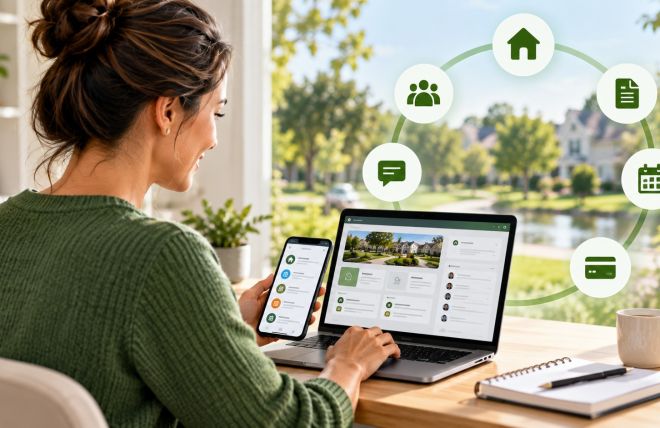
Build Your HOA Website Free
Running an HOA is a big job for a volunteer.
Neighborhood.online gives your community a modern website, document storage, and communication tools in minutes.
No technical skills required.
Transitioning from File Cabinets to Digital Document Storage in HOAs

Somewhere in your community, there is a filing cabinet. Maybe it is in the outgoing treasurer's home office. Maybe it lives in a closet at the clubhouse that no one has a key to anymore. Inside it are vendor contracts, past meeting minutes, inspection reports, insurance certificates, and financial records that should be accessible to the entire board but are effectively inaccessible to anyone who does not know the system the last board member used.
This is the document storage problem most HOA boards live with quietly. It does not feel urgent until it is. And then a homeowner requests records, or a dispute comes up, or a new board member tries to understand the history of a vendor relationship, and suddenly no one can find anything.
Moving to digital document storage does not require a technical background or a big budget. It requires a plan, a few hours of setup, and some discipline about where things go after that. This guide walks through the whole process.
Why HOA Document Storage Is a Governance Issue, Not Just an Admin Task
HOA boards are legally required to maintain certain records and make them available to homeowners on request. In most states, that includes meeting minutes, financial statements, governing documents, contracts, and insurance policies. The specifics vary by state, but the obligation to produce those records on request is nearly universal.
When records live in a physical cabinet in one person's home, three things happen. First, access depends entirely on that one person's availability and cooperation. Second, when that person leaves the board, there is a real chance the documents go with them or get lost in the transition. Third, there is no audit trail showing what was filed, when, or by whom.
Beyond legal compliance, good documentation protects the board. If a homeowner claims they were never notified about a project, your dated notice record is your defense. If a contractor dispute escalates, your signed contract and inspection logs are your evidence. Boards that document consistently and store records accessibly are in a fundamentally stronger position than boards that do not.
What Documents Every HOA Should Be Storing
Before deciding where to store things, it helps to know what actually needs to be kept. Most HOAs deal with documents that fall into six categories:
- Governing documents. CC&Rs, bylaws, rules and regulations, and any amendments. These should be accessible to every homeowner at all times and should be the first things you digitize.
- Financial records. Annual budgets, financial statements, reserve study reports, bank statements, invoices, and tax filings. Most states require HOAs to retain financial records for a minimum of seven years.
- Meeting records. Board meeting agendas, meeting minutes, and any written resolutions or motions. These are the official record of board decisions and are typically required to be made available to members.
- Vendor contracts and insurance certificates. Every active vendor contract and the associated certificate of insurance naming your HOA as an additional insured. These need to be easy to find, especially when a vendor relationship is in dispute or a renewal is coming up.
- Correspondence and notices. Resident communications, violation notices, hearing records, and any written communications with legal counsel. These are often critical in disputes and are frequently the documents boards cannot find when they need them most.
- Maintenance and inspection records. Work orders, inspection reports, contractor sign-off sheets, and photos from property walkthroughs. This category is often the most disorganized because it grows constantly and no one assigns ownership for where it goes.
Choosing a Digital Storage System
You do not need specialized software to start. What you need is a system that is cloud-based, accessible to all board members, organized consistently, and backed up automatically. Several options work well for HOAs.
Google Drive and Microsoft OneDrive are the most common starting points because most boards already use Gmail or Outlook. Both offer shared folder structures, version history, and access controls that let you specify who can view versus edit each document. They are free at the basic level and widely understood, which matters for volunteer boards with mixed technical comfort.
Dedicated HOA management platforms like Neighborhood.online offer integrated document storage alongside other board tools, which means documents live in the same system as your work orders, resident communications, and financial tracking rather than in a separate folder that boards sometimes forget to update.
Whichever system you choose, the critical features are shared access across board members, controlled permissions so sensitive documents are not visible to all residents, automatic cloud backup so nothing is lost if one device fails, and a search function so documents can actually be found.
How to Organize Your Digital Filing System
The most common mistake in digital document transitions is recreating the chaos of the old filing cabinet in digital form. Folders named "Misc 2021" or "Old Stuff" are not better than a physical pile. A clear, consistent folder structure is what makes digital storage actually work.
A simple structure that works for most HOAs looks like this:
- Governing Documents — CC&Rs, bylaws, rules and regulations, amendments, state registration
- Financials — one subfolder per year containing budget, financial statements, bank records, tax filings
- Meetings — one subfolder per year containing agendas and minutes for each meeting
- Vendors — one subfolder per vendor containing their contract, insurance certificate, and any correspondence
- Maintenance — organized by year, with subfolders for work orders, inspection reports, and project photos
- Correspondence — violation records, homeowner communications, legal correspondence
Use consistent naming conventions. A meeting minutes file named "2026-03-15 Board Meeting Minutes" is always findable. A file named "March minutes final FINAL v2" is not. Date-first naming (YYYY-MM-DD) sorts files chronologically automatically, which saves time when looking for a specific record.
How to Manage the Transition From Paper to Digital
The backlog of existing paper documents is usually what stops boards from starting. Do not try to scan everything at once. Prioritize by importance and start with the documents most likely to be needed.
Start with governing documents and current vendor contracts. These are the most frequently requested and the most damaging to lose. If you have a reserve study, that goes in the queue early too. Then work backwards through financial records, beginning with the most recent year. Meeting minutes from the last two to three years are worth digitizing. Minutes from a decade ago are lower priority.
For the actual scanning, a basic document scanner or a scanning app on a smartphone works for most documents. Apps like Adobe Scan, Microsoft Lens, or Apple's built-in document scanner in the Notes app produce clean, searchable PDFs. For a large backlog, some boards hire a local scanning service to handle the physical work in bulk.
Going forward, the goal is zero new paper. Any document that arrives digitally stays digital. Any document that arrives on paper gets scanned and filed the same week, not stored in a pile to be dealt with later.
Access Controls and Security
Not every document should be visible to every resident. Financial statements, meeting minutes, and governing documents are typically required to be available to members on request. Personnel matters, legal correspondence, and executive session notes are generally restricted to board members only.
Set up your access permissions to reflect these distinctions from the beginning. A common structure is three permission levels: documents accessible to all residents, documents accessible to board members only, and documents accessible to specific board officers such as treasurer-only financial working files.
Use strong passwords for any accounts that contain sensitive HOA documents, enable two-factor authentication where available, and never store login credentials in the shared document folder itself. When a board member leaves, update access permissions immediately. This is a step most boards forget until something goes wrong.
Making Documentation a Board Habit
The system only works if people use it consistently. The biggest failure mode for digital document storage is not the technology. It is boards that set up a folder structure, use it for two months, and then drift back to emailing files back and forth and storing things locally on individual laptops.
The simplest way to prevent this is to make filing a part of standard board processes rather than a separate task. Meeting minutes get filed the same day they are approved. Vendor invoices get filed the week they are paid. Inspection reports get filed the day they come in. When filing is woven into the workflow rather than treated as a separate cleanup task, the system stays current without anyone having to think about it.
Designate one board member, usually the secretary, as the owner of the document system. Their role is to maintain the folder structure, ensure documents are filed correctly, and onboard new board members into the system at the start of each term.
For boards managing active maintenance programs, the guide on HOA maintenance planning includes practical advice on documentation as part of a broader operations system. The guide on efficient HOA meeting minutes covers the specific documentation practices that keep board decisions clear and defensible.
Start This Week, Not This Year
Digital document storage is one of those improvements that boards put off because it feels like a big project. In practice, the core setup takes a few hours. Create a shared folder, build the top-level structure, and upload your governing documents and current vendor contracts. That alone is a meaningful improvement over a filing cabinet that one person controls.
The rest can happen gradually. Scan the backlog a category at a time. Build the habit of filing new documents the same week they arrive. Review access permissions when board members change. Within one full year of consistent use, your HOA will have a document system that survives leadership transitions, responds to records requests in minutes, and actually protects the board when it needs protecting.
That is worth a few hours of setup this week.